I cloned an XDJ-1000 and it runs on a Raspberry Pi
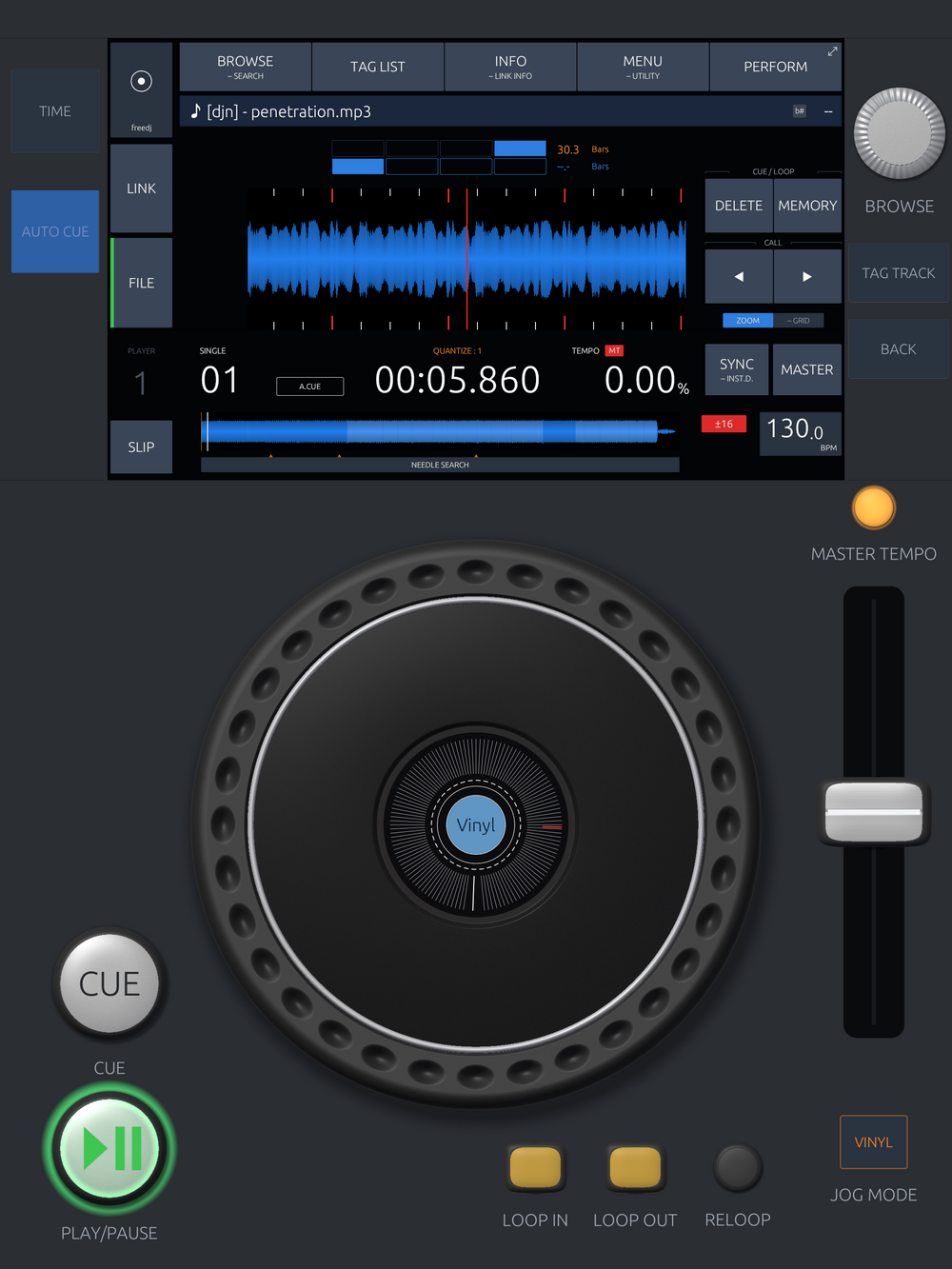
I built a DJ deck that looks and behaves like an XDJ-1000MK2 and joins a Pro DJ Link network as one more player. Put it on the same network as real decks and it takes a player number and follows the master tempo, or it takes master itself and the real deck follows it. It runs on a Raspberry Pi 5 on a bit over half of one core. The same code is on the App Store as OpenDeck DJ for iPad and iPhone, and has been since the middle of September. The source is on GitHub as freedj-3000. Somehow I never wrote a word about any of it here.
Why clone a deck
A CDJ-3000 is about $2,400, and you need two. What makes it a CDJ and not a media player is a jog wheel, a screen layout every DJ can read from across the booth, and a network protocol that keeps the decks in time and lets them share one USB stick. The protocol has been picked apart for years by the people at Deep Symmetry, who wrote the analysis and the Beat Link library everybody uses. A Raspberry Pi 5 is $80.
Two years ago I bought an XDJ-1000MK2 and wrote a post about it that ended with wanting custom firmware, so I could do things with a deck that the deck won't do. You can't get custom firmware onto one. You can build the deck. So the one on my desk became the target: same screen, same buttons, same behaviour, same network. Not "inspired by". If you know the real one, you shouldn't have to learn anything. The strange ideas come after it's right.
It started in March as one long day of Rust: decode a file, draw a scrolling waveform on the GPU, run Rubber Band for key lock, drive it from a Traktor S2 over raw HID. Then it sat until late August. Nearly all of the 268 commits are from the four weeks after that.
The screen
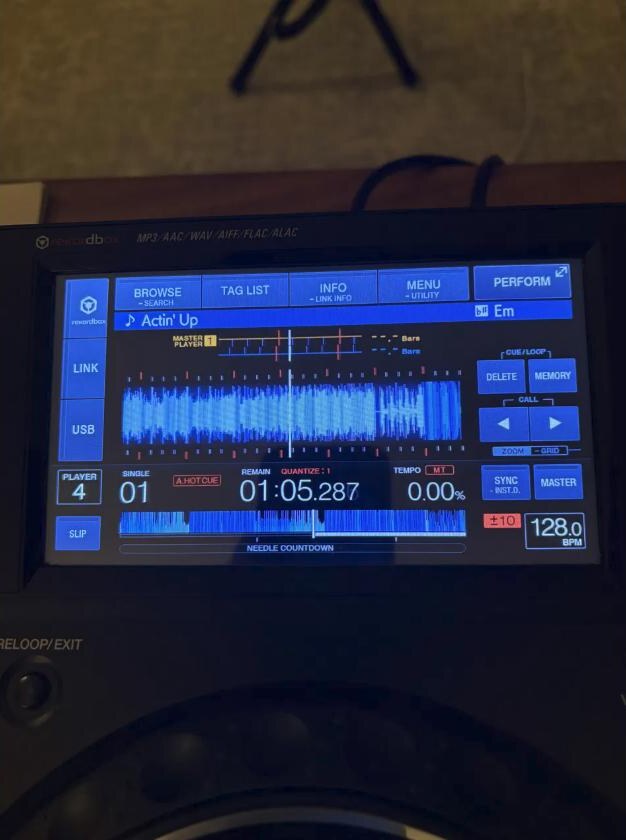
The screen was laid out from photographs of the unit. The real panel is 7 inches at 1024×600, and every region in mine is a fraction of that, so it scales to whatever it's drawn on. There is one rule: the screen matches the real one. If something is a physical button on the deck, it doesn't get to appear on the screen. It goes on the faceplate around it.
The hard part was getting the waveform to scroll without judder. The audio thread hands out blocks, so the position it reports moves in steps, and a waveform drawn from that position stutters. The fix is a small phase lock: the drawn playhead free-runs at the true playback rate and gets pulled gently toward the position you are actually hearing. My first version pulled toward a smoothed copy of that position. It looked great and ran a third of a second behind the audio, which is most of a beat at 128 BPM. The velocity comes from the model, the correction goes toward the fresh reading, and you never filter the reference.
Getting a real deck to listen
For the first few days my deck and my test sender agreed with each other perfectly. Then I plugged in the XDJ and my deck heard nothing. I was listening on port 50002. Beats are on 50001. And my parser read the player number at byte 0x10 and the tempo at 0x24, when they're really at 0x21 and 0x5a. The test sender had the same wrong idea, so the two of them were very happy together. After that, everything Link got tested against the unit and its captured packets, not against my own simulator.
Following a master's tempo was easy from there. Taking master was not. There's a handshake: you ask the current master for the role, it answers, then it names you in a field of its status packets, and only then do you say you're the master. It keeps its own flag up until it sees yours. I got that wrong three different ways. I claimed master the moment I asked. I claimed it on the answer, before I was named. And when the XDJ bumped its sync counter on the way out, which it is supposed to do, my deck took that as a reason to give master back.
With all three fixed, the XDJ would start the handoff and then change its mind.
So I ran the real Beat Link library against the XDJ. It took master and the XDJ jumped to 140 BPM. Then I compared bytes: the XDJ's own status packet, Beat Link's, and mine.
             0x1f  0x20  len
XDJ (real)   0x01  0x05  256
Beat Link    0x01  0x04  248   accepted as master
mine         0x00  0x05  256   rejected
One byte. And I put it there. My status packet is built from a template captured off the XDJ, and before committing it I blanked out the device name. The name is 20 bytes. I zeroed 21. The name was "XDJ-1000MK2", which was hardly a secret, and the code overwrites it at runtime anyway. With 0x1f back at 0x01, the XDJ's MASTER button went dark and its display followed my tempo. Before I found it I had half convinced myself it was a timing problem and added a 175 ms delay that seemed to help. It was removed.
One stick, every deck
On a real setup you put a USB stick in one deck and browse it from the others. The way that works is wonderfully old: each player runs an NFS version 2 server over UDP and exports its USB stick. File names are UTF-16, and it only answers requests from a privileged source port. The stick carries a rekordbox database, so "browse the linked player" is: mount the deck over NFS, pull export.pdb, parse it, show the playlists. My desk XDJ gave up 226 tracks that way without the stick ever leaving it, and loading one brings rekordbox's beat grid and cue points with it.
A rekordbox laptop does the same thing, except its portmapper is on UDP 50111 where nothing would think to look, and the menus come over a separate database protocol. That works too. And it goes the other way: OpenDeck serves its own folder of tracks to other decks, with metadata, grid, waveforms and art, so a tablet can be the USB stick. That is proven between two OpenDecks. Whether a real XDJ accepts my waveforms is the next test at the desk.
On a Raspberry Pi
The Pi 5 is the reference machine. The renderer needs Vulkan, and the Pi 5 has real hardware Vulkan, so the same GPU code runs there unchanged. It holds 60 frames a second with a frame-to-frame jitter of 0.12 ms, which is tighter than my desktop with an RTX card manages. Playing a track with key lock on takes a bit under 0.6 of one of its four cores and 250 MB of memory. Loading a five minute MP3, including the waveform and the BPM analysis, takes 0.7 seconds. It builds on the Pi itself in under seven minutes.
It does run hot. I saw 78 °C under a light load with no fan, so it wants the active cooler.
A Pi 4 runs it too, with much less to spare. The timestretcher alone takes about 72% of a core there. I blamed the renderer for a day because top -H said so. The per-thread numbers in /proc added up to the process total and top's didn't.
Onto an iPad
The plan was a Pi in a box. The iPad was a one-day spike to see if the Rust code would even run, and it did, including Link. I had expected Apple's multicast entitlement to be a wall. It isn't needed. The early failure was mine, a socket bound to the wrong interface.
An app needs the rest of the deck, though, not just the screen. The first faceplate was a photo of the unit with the buttons cut out and composited. It looked uncanny, three light directions in one image, and it was a photograph of somebody else's product. Now every control is a height field shaded by one shared light rig and baked into a sprite the first time it's drawn. No photo in the app at all.
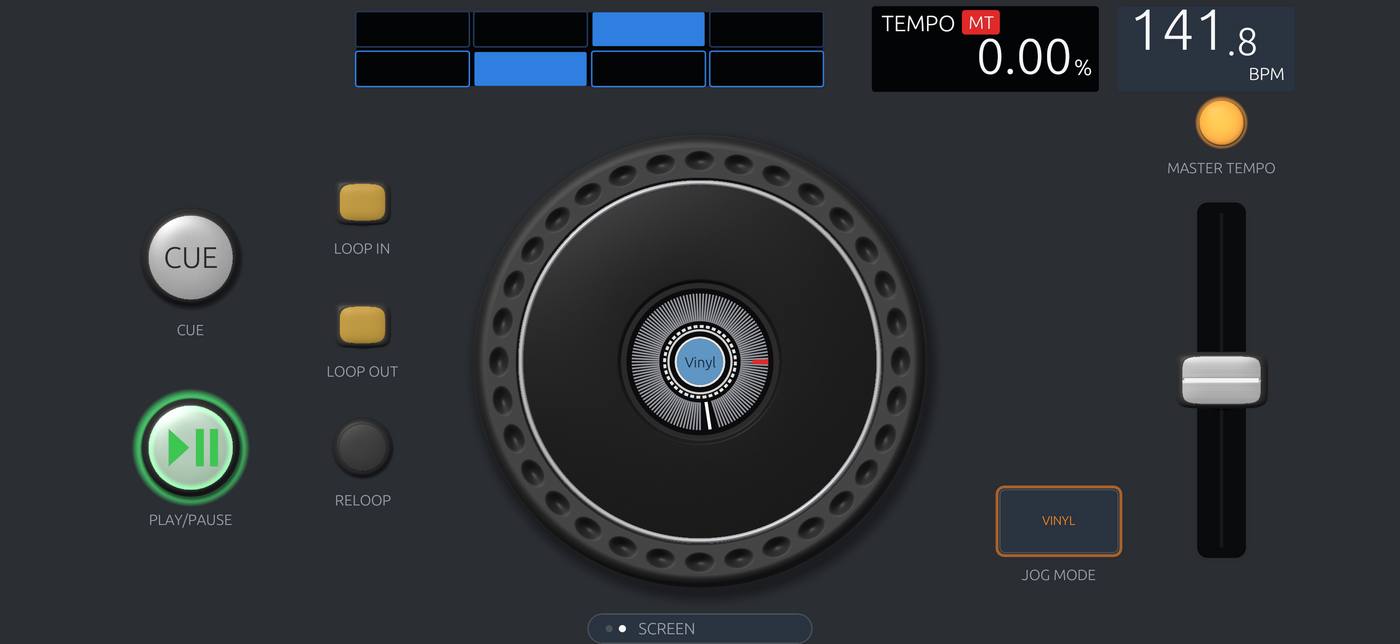
The phone doesn't have room for a deck, so it gets two landscape pages: the screen, and the jog wheel with the transport.
I build on Linux. iOS builds happen on a GitHub Actions macOS runner when I push a tag, and the listing, the screenshots and the submission go through the App Store Connect API. The screenshots are the app's own renderer at device resolution. Apple rejected one thing along the way, the words "for iPad" in the subtitle.
The part you feel
CUE on a CDJ is a held button. Paused at the cue point, you hold it and the track plays. Let go and it snaps back and stops. DJs tap it in time with the other deck to find the beat, so it has to start when the finger lands, not a moment later.
Mine didn't. The UI toolkit was deciding whether each press was a click or a drag, and for a finger that stays still it waits most of a second to make up its mind. Then the audio thread was parked while paused and took up to 50 ms to notice a play. Then a seek issued while paused didn't happen until the next play, so the release left the display stuck off the cue. Each of those was its own bug with its own fix.
Then the two-finger case. Hold CUE and press PLAY, and playback keeps going after you let go of CUE. On glass the second finger isn't the pointer, it's a raw touch the toolkit ignores, so PLAY never saw it. And it has to carry on from where the preview is, not restart from the cue.
The rules for all of this now live in a small state machine with no audio or UI in it, checked against written specs of what the real deck does. Stopping fades out over 3 ms so the release doesn't click. Starting has no fade at all.
Wi-Fi is not a cable
On ethernet the beat meter for the other deck was smooth. On Wi-Fi it scrolled, froze, and jumped. An access point holds broadcast packets for a sleeping phone and delivers them in a clump, and beats are broadcast. An app can't turn that off. So the other deck's row doesn't draw packets any more. It free-runs at the peer's tempo and each packet nudges its phase. OpenDecks also send beats to each other directly, which the access point doesn't hold.
The iPad got hot and vanished from the network after sitting in the background for a day. iOS takes the sockets away from a suspended app. When it came back, three listener threads were failing instantly in a loop, a core each. They back off and reopen now.
And the phone ran warm for a duller reason. I spent two days sure it was the timestretcher. Measuring it took an hour: about a tenth of one phone core. The real cause was a redraw loop that kept itself going at full rate with nothing on screen moving. Paused, it idles at 10 frames a second now.
What it isn't
- It speaks the XDJ-1000MK2 generation of the protocol. The CDJ-3000 moves files differently and I haven't touched it.
- Four players on a network, like the real thing.
- The Pi version works with a screen, a mouse and a MIDI controller. The control surface with a real jog wheel is CAD and plans so far.
- One deliberate departure: you can drag the big waveform with a finger to move through the track. The real deck doesn't do that. On a phone it's too useful to leave out.
Names
XDJ, CDJ, rekordbox and Pro DJ Link are AlphaTheta's names. I'm not affiliated with them, and nothing of theirs is in the app. It talks to their players because the protocol on the wire is what it is.
Get it
OpenDeck DJ is free on the App Store for iPad and iPhone, and has its own page here. The source, GPL, with the Pi and Linux build and all the protocol notes, is at audiodestrukt/freedj-3000. If you try it next to real decks, I'd like to hear how it goes.