First look at the This is Noise NM2
I bought this little Bluetooth MIDI controller on a whim when an ad showed up on my Instagram feed.
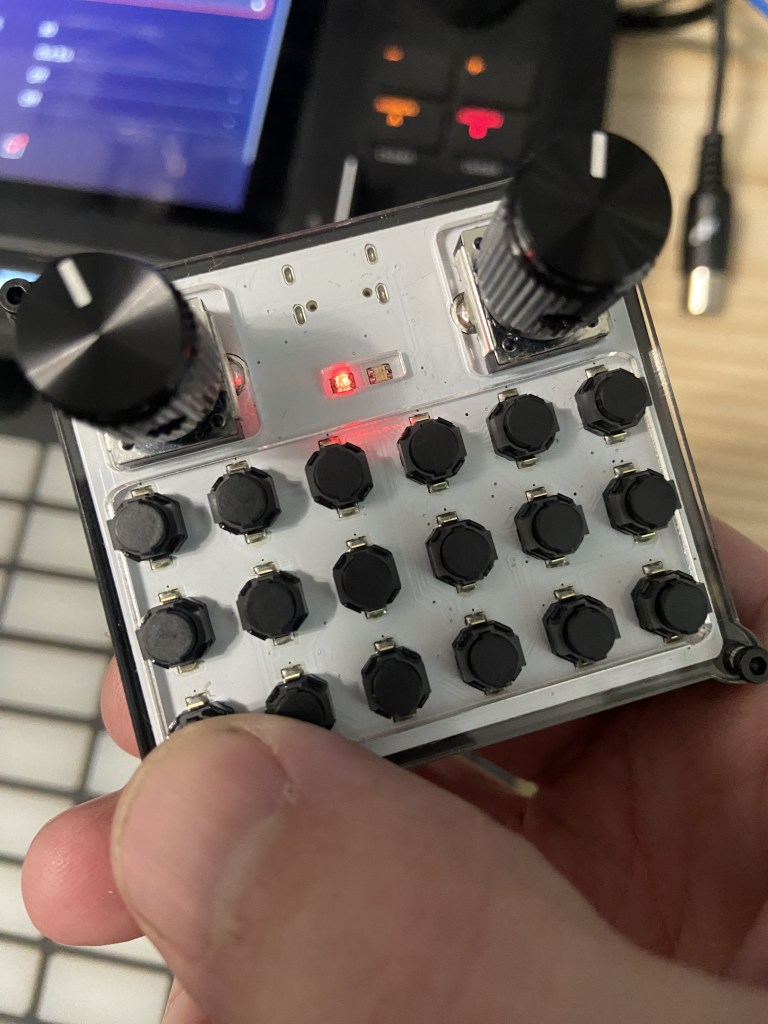
It really is tiny. It uses little soft tactile switches that are non-clicky. I ordered some of these same switches for my own projects but never got around to actually using them.
I connected it up to my Macbook Air using the Audio/Midi control panel. Apparently MIDI devices don’t show up in the main Bluetooth configuration panel.
Turning the device on is accomplished by hitting the first button. I figured maybe it would turn off by itself but that’s not the case. Turning it off involves holding down the same first button for 10 seconds. It’s a little annoying actually, I wish there was just a switch on it.
When I went to map CC controllers it went berserk and I couldn’t figure out why. It turns out that there is an accelerometer xy controller so you have to put it down on the table to map the knobs otherwise doing MIDI learn is a little weird.
I was able to tap out beats on the little buttons though, it’s pretty cool to walk around and use your thumb to play a beat. I was able to get a boom bap with one hand so that’s a win.
It’s a cool things, I can see using it to control my DAW just repositioning it anywhere I need it when playing other instruments.
Configuration is done using a little web app. The app didn’t recognize my device as an NM2 though so there may be some support requests incoming.