The state of USB audio on Windows
I recently got a new audio interface. I had a cheap Behringer UCA202 USB interface that I had been using for a while and I thought it was time to get something a little nicer. I settled on the PreSonus AudioBox after considering the Focusrite 2i2
I read a few reviews of the Focusrite having issues with clipping when plugging a guitar into the instrument inputs, which is one of the things I want to do with this interface. I also wanted to have MIDI ports on the box just to cover my bases I guess. I’m not sure how important this will be in the end though.
It turns out that I still have some clipping on the Presonus AudioBox when going direct with my guitars. I don’t know if it’s as bad as the Presonus though. I get some very short peaks that turn on the overload lights on the front panel. Using a DI box into the balanced inputs seems to do the trick though, so it might be a non-issue either way. Using a DI box sounds much different but it’s actually an improvement to my ears at least.
The real reason for this post is to detail the issues I had trying to get a reasonable latency out of this box. I have several USB audio interfaces and Windows machines so I can hopefully give some perspective on how the Presonus fits into the spectrum of audio interfaces.
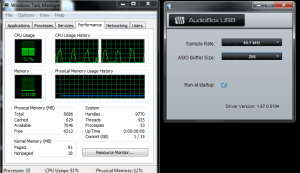
The Presonus comes with its own ASIO driver supplied by the company, but will also work with Asio4all. In my experience there wasn’t a big difference between the two drivers. The custom driver used slightly less CPU it seems, so maybe using the Presonus driver is better. I personally like being able to control all my ASIO interfaces from one place and use more than one interface at a time, so I typically use Asio4all if I can.
Under Windows 7 I had issues with all of my USB interfaces in terms of getting a reasonable latency. My holy grail latency number is 64 samples, which ends up being 6ms or so round-trip as reported by the Reaper DAW software. This is the latency at which my guitar effects appear to be instantaneous. I notice some lag when going up to 128 samples. Your mileage may vary. I can sometimes get used to 128 samples after a while, but if I have been playing through a real physical amp for a while, I really notice the difference unless I’m getting 64 sample latency.
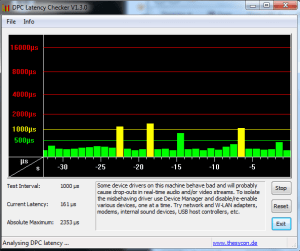
So, per the title of the post, the state of USB audio on Windows is pretty bad, at least under Windows 7. I tried out 3 different versions of Windows with my various interfaces and found that Windows XP got me the best latencies, followed by Windows 8. Windows 7 was by far the worst, since I experienced huge periodic CPU spikes when using USB audio devices. The Presonus box being the worst out of the 3 interfaces I tested with.
I know my results are pretty unscientific, but it’s hard to find any helpful information about USB audio performance at all, so hopefully my experiences help someone out there.
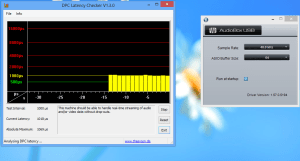
I tried the AudioBox on a Mac running OSX 10.7.5 also and had no issues at all getting 64 sample latency on Reaper for Mac. Performance was just immaculate. I didn’t have to install any drivers at all either. So Mac wins hands down, followed by Windows 8, which didn’t show any performance spikes, but did have higher DPC latency overall.
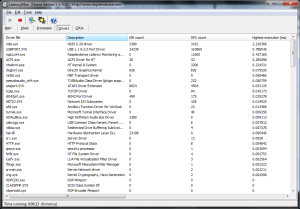
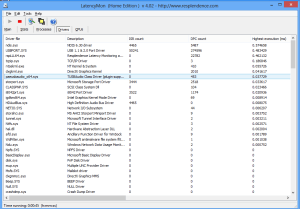
I used the DPC latency checker as well as LatencyMon to find offending drivers that are doing a lot of interrupts. The top offenders on my system were network interfaces, especially Bluetooth. The second thing that I changed was to make sure that the CPU was always set to run at 100% in the Windows power management console under control panel.
Apart from these two things, most of the other tweaks that I found on the Web had little or no discernible effect. Again, my procedures here are decidedly unscientific so it’s possible that some of these other things have synergistic or other statistically significant effects that I didn’t notice. However they weren’t drastic enough for me to observe a big difference.
Footnotes:
http://www.gearslutz.com/board/low-end-theory/749142-focusrite-scarlett-2i2-vs-presonus-audiobox.html