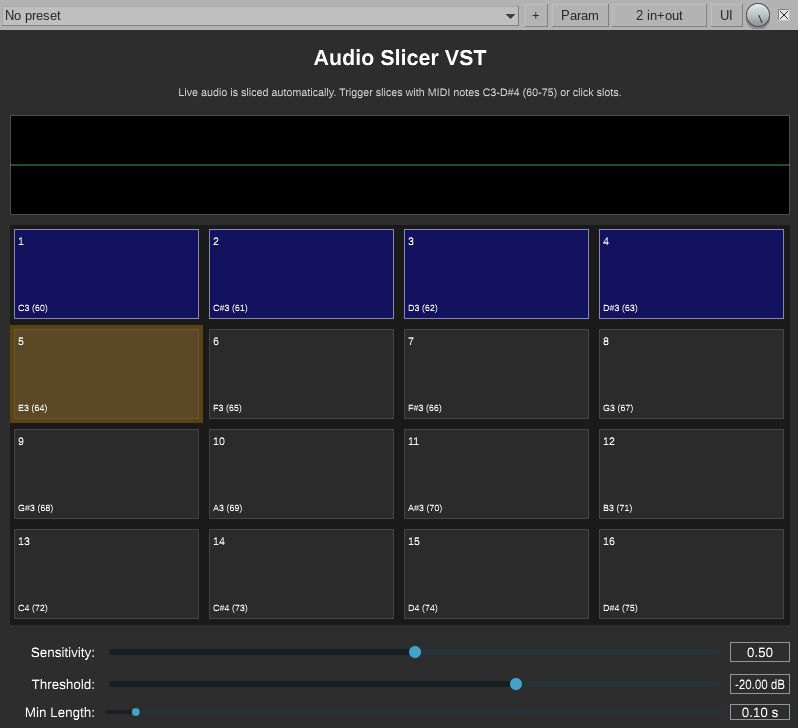
Slice live audio in real time. Capture transients into 16 playable slots. Retrigger with MIDI or click. Destroy your signal the right way.
Energy-based RMS analysis catches transients in your incoming audio stream as they happen, no pre-recording needed.
Slices fill slots 1–16 sequentially and wrap around. Each slot shows a waveform preview with color-coded status.
Trigger any slice via MIDI notes C3–D#4 (60–75). Polyphonic — stack as many slices as you want simultaneously.
No MIDI setup? Click any slot directly in the UI to fire it. Works standalone in any VST3 host.
Dial in Sensitivity, Threshold, and Min Length to filter out false triggers and capture exactly what you want.
Built with JUCE. Source on GitHub. No license, no activation, no nonsense — just the plugin.
| Parameter | Range | Description |
|---|---|---|
| Sensitivity | 0.0 – 1.0 | Controls the RMS ratio threshold for transient detection. Higher values require bigger energy jumps to trigger a new slice. |
| Threshold | -60 dB – 0 dB | Minimum signal level required to detect a transient. Raise to ignore quiet background noise. |
| Min Length | 0.01 s – 10.0 s | Minimum duration between slice captures. Acts as a cooldown to prevent rapid-fire false detections. |
Effects that simulate the real thing part by part (transistors, tubes, transformer steel, speaker paper) instead of copying its sound. Each one is checked against a circuit simulator or published measurements. The knobs are physical: battery charge, core size, cone stiffness.
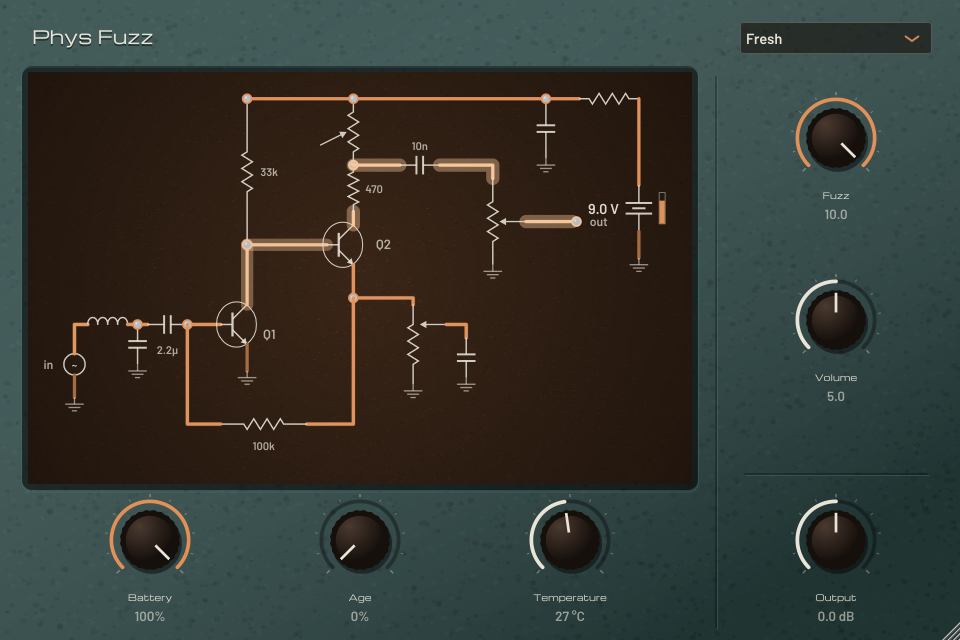
A vintage two-transistor fuzz, solved as the actual circuit at 4x oversampling: every transistor, cap and resistor, including the battery. Two circuits to pick from: London ’66 and Tokyo ’68.
Instead of tone knobs you get the things that really change an old fuzz: a battery running down (the voltage sags and its internal resistance climbs), parts ageing (leaky transistors, dried-out caps) and the temperature of the room. The schematic on screen shows the current flowing through the circuit as you play.
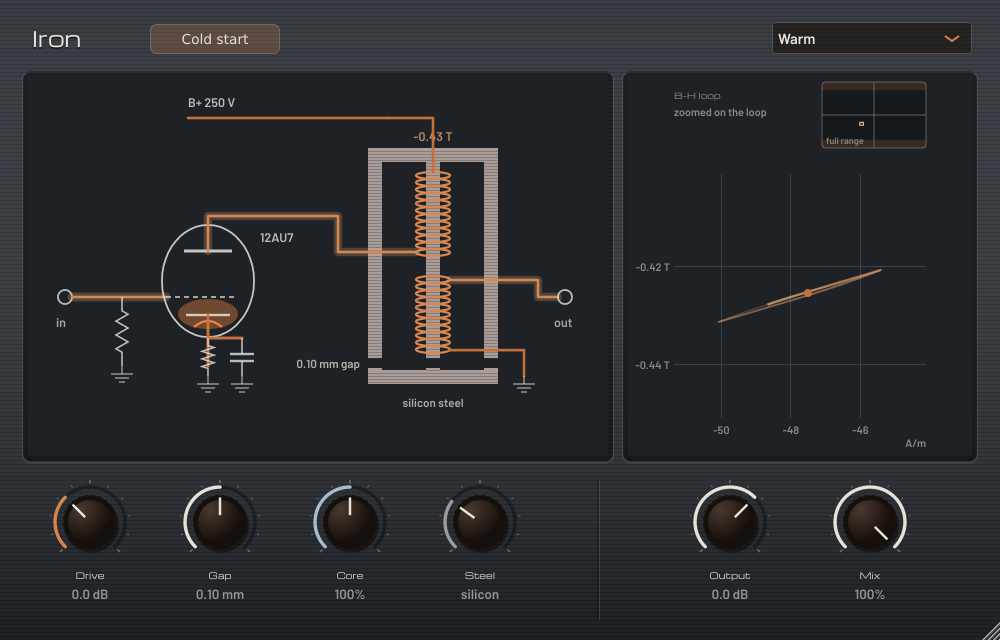
A tube stage driving a single-ended, gapped output transformer. The transformer’s steel core is modelled magnetically, with hysteresis and saturation, and the display plots its B-H loop as you play.
The knobs are the iron itself: how hard it’s driven, the air gap, the size of the core, and the grade of the steel, from premium to scrap. Low end thickens and smears as the core saturates; highs stay put.
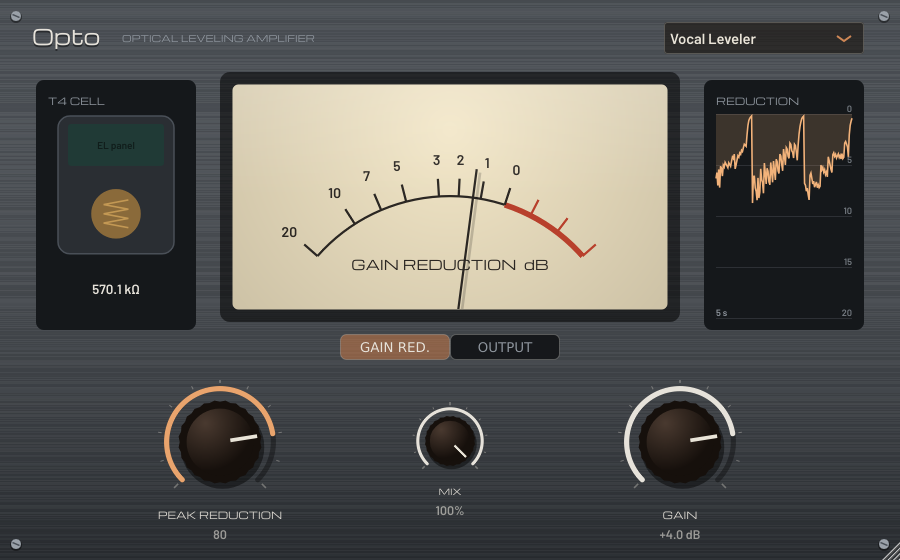
A classic tube optical leveler, modelled as the whole unit: the tube amplifier, the transformers, the sidechain, and the electroluminescent panel shining on a photocell. The cell’s slow, program-dependent release is where the smooth leveling comes from.
Two knobs, like the original front panel. Peak Reduction sets how hard the cell is lit; Gain makes the level back up.
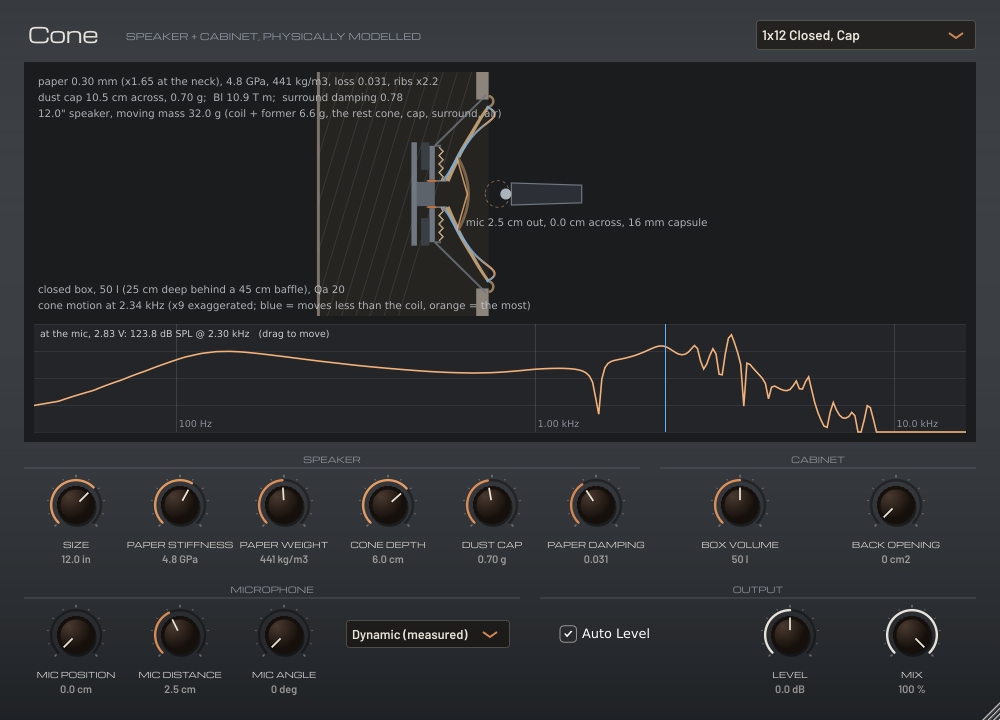
A guitar speaker in a cabinet, built from physics instead of loaded from an impulse response. The paper cone bends and breaks up; the box and back opening shape the low end; a close mic hears the part of the cone it points at.
Change the cone’s paper, weight and depth, the size of the speaker, the box, and where the mic sits. The cross-section on screen is drawn to scale from the knobs and shows the cone moving.
A MIDI clip sequencer modeled after a pair of DJ turntables and a mixer. The playhead stays fixed and the clips scroll underneath it like records on a platter — launch clips onto two decks, layer them up, and blend between the decks with the crossfader. No timeline, no scene grid, no install. Point a browser at it and send MIDI to your rig.
Gear reviews, live PA setups, synth deep-dives, MIDI controllers, slicer plugins, drum machines, and the occasional rabbit hole. A poke in the ear with a sharp stick.
Browse all posts →AudioDestrukt is a one-person audio software shop. The goal is to make weird, useful, and occasionally destructive audio tools for producers, performers, and sound designers who prefer their signal chain a little rough around the edges.
"A poke in the ear with a sharp stick."
More plugins coming, including an amp to drive Cone. Subscribe to the RSS feed or watch the GitHub for updates.